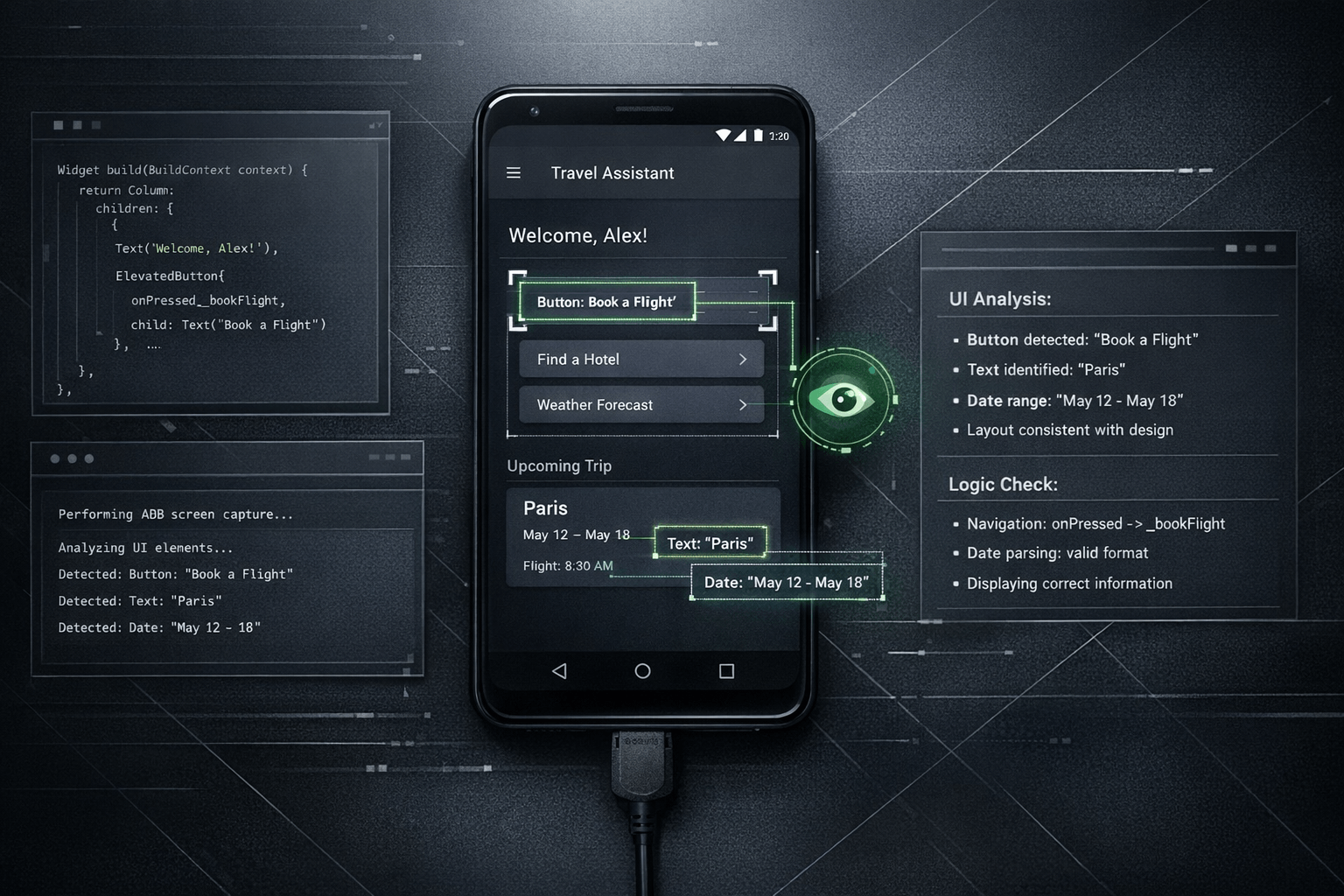
The practical change is straightforward: if an agent can use ADB screenshot capture, it can sometimes look at the Android screen directly instead of depending only on a developer's description of what went wrong. For multimodal systems, that visual checkpoint matters because many UI defects are easier to recognize on the rendered screen than in logs, stack traces, or chat summaries.
Summary
Android's own ADB documentation describes screencap as a shell utility for taking a screenshot from a device, including flows that save the image locally or stream PNG output with adb exec-out screencap -p. Flutter's testing and debugging documentation, meanwhile, frames debugging as a mix of tools for checking behavior, integration results, and actual app state. Put together, those references support a simple conclusion: visual state is part of technical state.
Nic Hyper Flow applies that idea to an agent workflow. When the agent is multimodal and ADB access is available, it can use the captured screen as direct evidence during debugging and implementation validation.
What happened
The notable capability is not that Android can take screenshots; ADB has supported that for years. The relevant shift is that a multimodal agent can become the consumer of that screenshot. Instead of treating the image as something a human inspects alone, the system can feed the captured screen back into the debugging loop.
In practice, that means the agent can implement or suggest a change, request or trigger an Android screen capture, inspect the resulting UI, and compare what is visible with the intended outcome. That reduces the distance between code change and verification.
Why it matters
Many Android bugs are not purely logical failures. They are presentation failures: clipped layouts, wrong spacing, missing states, broken theming, incorrect navigation affordances, off-screen elements, or dialog flows that are technically present but visually unusable. A text-only description often compresses too much detail.
With ADB screenshot support, the agent can work from a more faithful representation of the device state. That does not replace logs, traces, or developer judgment, but it gives the debugging process an additional form of evidence. The result is a more grounded loop: inspect, reason, change, capture again, verify.
The important difference is not automation for its own sake. It is that the agent can sometimes validate the rendered result instead of inferring it indirectly.
ADB screenshot as visual feedback
The Android Developers documentation explicitly shows two patterns that matter here: saving a screenshot on the device and pulling it afterward, or streaming a PNG directly with adb exec-out screencap -p > screen.png. For a tool like Nic Hyper Flow, that turns the Android screen into a machine-readable checkpoint inside the implementation loop.
Once the image exists, a multimodal agent can inspect visible labels, layout relationships, screen state, and whether the expected interaction outcome is now present. That is useful for spotting regressions after a fix, confirming whether a loading state appears correctly, or checking if a change that compiled successfully also looks correct on the actual device.
This is especially relevant for implementation validation. A developer may ask whether a change was merely applied in code or whether it actually rendered correctly on Android. The screenshot gives the agent a way to evaluate that distinction with more confidence than chat alone allows.
Flutter and Android relevance
Flutter teams often debug at two levels at once: framework behavior and native Android execution. Flutter's documentation treats testing and debugging as a layered activity that includes integration checks, debugging tools, and native debugging when needed. ADB screenshot support fits naturally into that layered model.
In a Flutter project, a UI defect might come from widget composition, layout constraints, theme configuration, platform integration, or Android-specific behavior. When Nic Hyper Flow can inspect an ADB screenshot, it helps bridge those layers. The agent is not limited to source code reasoning; it can also examine the visible output of the Android implementation.
That makes the workflow particularly useful for Flutter developers shipping Android interfaces, because the agent can help answer a concrete question after each change: does the result on the device match the intended UI?
Connection to Nic Hyper Flow
Nic Hyper Flow's value here is operational rather than rhetorical. The platform already treats tools as part of the agent's working environment. Adding ADB screenshot capture to that environment means the Android screen itself can enter the reasoning loop as evidence, not just as a developer anecdote.
When the agent is multimodal, the workflow becomes tighter: inspect repository code, run or adjust Android steps, capture the screen, compare the outcome, and continue iterating. For teams working with Flutter, that can shorten the gap between implementation and visual confirmation without pretending that screenshots alone solve debugging.
The point is not that every bug becomes visual. The point is that when a bug or validation step is visual, Nic Hyper Flow can sometimes let the agent inspect the same on-device evidence a human would inspect.
Conclusion
ADB screenshot support changes the debugging story because it gives a multimodal agent access to a missing layer of evidence: the rendered Android screen. For Android and Flutter work, that improves the agent's ability to verify whether a change looks right, not only whether the code appears plausible.
That is a modest but meaningful shift. It turns visual checking into part of the agent loop, helps validate Android implementations more directly, and makes Nic Hyper Flow better suited to the kinds of problems that are easier to see than to describe.
Sources
The article draws on the following documentation pages read during preparation: