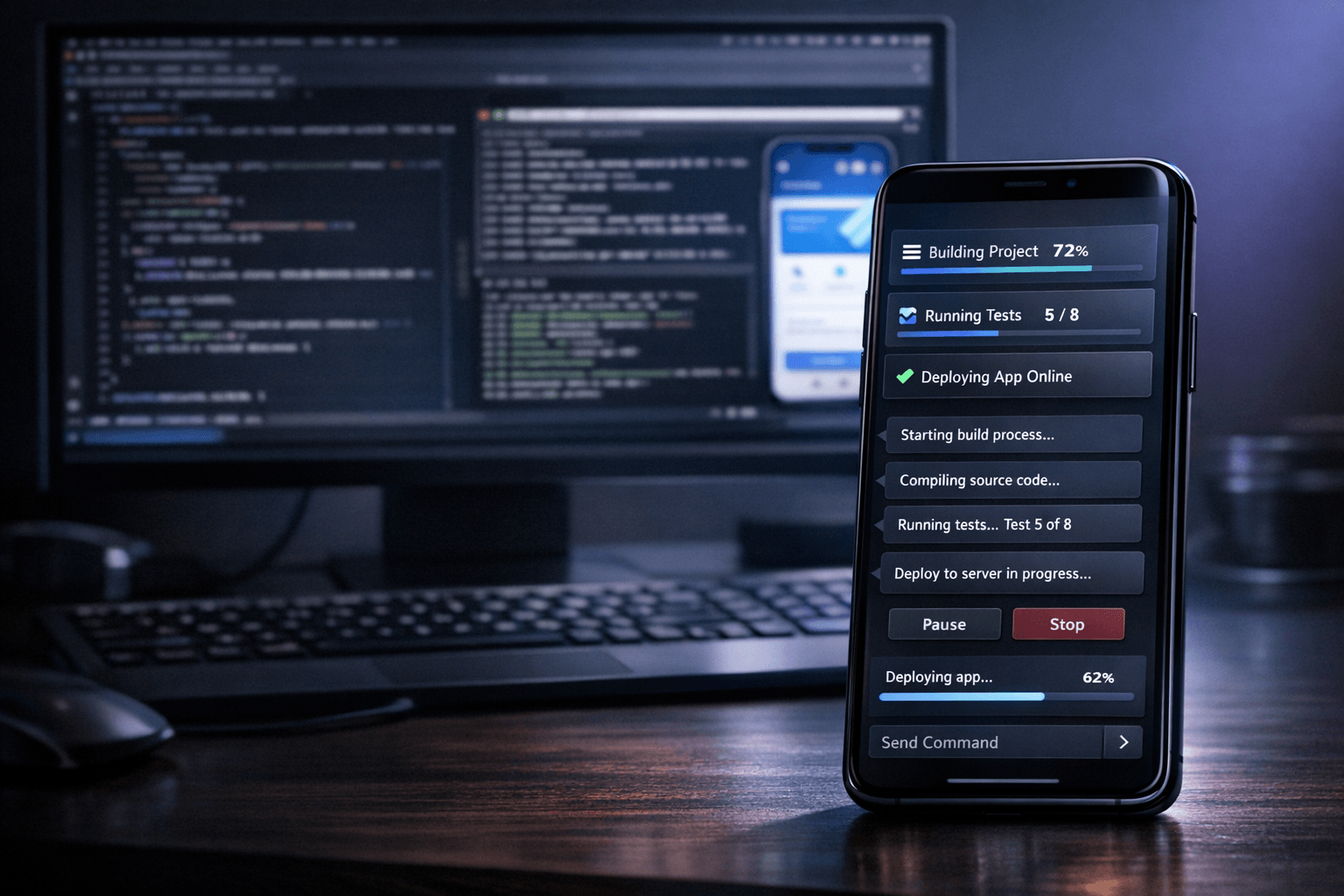
The most interesting part of a mobile interface for agent-driven development is not novelty. It is delegation. When the phone can trigger, monitor and steer work happening on the PC, the developer gets a second operating position. That matters in ordinary situations: checking progress away from the desk, continuing a debugging loop from the sofa, or supervising a Flutter run while the host machine remains responsible for compilation, tooling and file changes.
Summary
Recent documentation from Flutter and Chrome Remote Desktop helps explain why this pattern is credible. Flutter's hot reload keeps the edit-and-verify cycle fast on a connected debug target, while remote desktop guidance shows that a phone can practically access files, applications and input controls on another computer. Nic Hyper Flow builds on that broader reality with a more product-specific idea: the phone is not just a passive viewer, but a purpose-built control surface for the agent that is operating on the PC side.
What happened
The workflow being demonstrated is simple to describe and unusually easy to grasp visually. A coding agent runs against the project on the computer, where the repository, terminal session, build tools and device connections live. The smartphone becomes the place where the developer checks state, submits instructions and follows progress. In a Flutter context, that can mean reviewing an issue from the phone, asking for a change, and letting the PC-side agent handle the code update and the next verification step.
Why it matters
Many remote workflows fail because the mobile device is treated as a reduced copy of the desktop. That usually feels cramped and indirect. A dedicated mobile control layer is more useful when it focuses on high-value actions: start a task, inspect status, approve a next step, send context, review a screenshot, or trigger follow-up work. This division of labor makes sense technically. The PC keeps the expensive responsibilities, while the phone handles quick supervision and intent.
The useful shift is not “coding on a phone” in the literal sense. It is using the phone as the operator panel for a stronger machine that is already connected to the project, the terminal and the development environment.
The mobile interface as a control surface
Google's Chrome Remote Desktop documentation for Android is a helpful reference point because it makes the basic premise familiar: a mobile device can access another computer, use virtual trackpad controls and interact with applications remotely. Nic Hyper Flow pushes that concept toward a more workflow-specific interface. Instead of exposing the entire desktop as the main abstraction, the mobile layer can expose the decisions that matter most for agent work: what to run, what changed, what failed, what needs confirmation, and what result came back.
For Flutter developers, this is especially relevant because Flutter already benefits from short feedback loops. The official hot reload documentation emphasizes that updated source code can be injected into the running Dart runtime, with the framework rebuilding the widget tree while preserving application state in many cases. In practice, that means the PC remains the execution engine for fast iteration, while the phone remains the convenient place to steer that loop when the developer is not physically at the keyboard.
- On the PC side: repository access, terminal commands, emulator or device connection, file edits and heavier build activity.
- On the phone side: lightweight control, review of agent state, message input, screenshot sharing and quick task supervision.
- In the combined workflow: the developer keeps momentum without requiring the mobile screen to impersonate a full desktop IDE.
Demo and product value
This interface also has strong demo value because it makes the architecture legible. A viewer can immediately understand what each surface is doing. The desktop is where the project lives and where the agent executes. The phone is where the human stays in control while moving around. That separation is easier to communicate than a generic “AI assistant” story because it shows a concrete operating model.
The visual effect is important, but the product value is stronger than the visual effect. A good demo works here because it reflects a real advantage: remote control without pretending that the phone should host the entire development workflow. For product teams, that clarity matters. It demonstrates a credible role for mobile interaction in a developer tool without overselling what the small screen can realistically do.
Connection to Nic Hyper Flow
Nic Hyper Flow's relevance is that it treats the smartphone as a meaningful interface in the agent loop rather than as an afterthought. In a Flutter workflow, the developer can keep the main codebase and debug session on the PC, while using the phone to monitor execution, send context and continue decisions away from the workstation. That is useful in day-to-day work, and it is also a strong product demonstration because it turns a complex agent pipeline into something visible: the person, the phone, the PC and the agent each have a clear role.
The result is a more flexible remote setup, not a replacement for the desktop. That distinction is what makes the workflow credible. The phone reduces friction at the control layer, while the PC still carries the development load.
Conclusion
The most convincing case for a mobile interface in AI-assisted development is practical rather than theatrical. If the phone becomes the control surface for a PC agent, the workflow gains mobility without losing the advantages of a full desktop environment. For Flutter developers in particular, that means the fast iteration loop can stay on the host machine while the human interaction layer becomes more flexible. Nic Hyper Flow's mobile interface stands out because it makes that division explicit and useful.
Sources
- Flutter Documentation — Hot reload Read for how Flutter updates code in a running debug session, preserves state in many cases and keeps the development loop fast.
- Google Chrome Help — Access another computer with Chrome Remote Desktop on Android Read for a grounded reference on phone-to-PC remote access, touch input modes and mobile control of another computer.